Thirteen screens, in order
Each step below shows a real screen from Ethereal EBS and the clicks to use it, from the first look at the dashboard to inviting your team. Follow them in order and you will have taken an order from quote to cash.
The dashboard
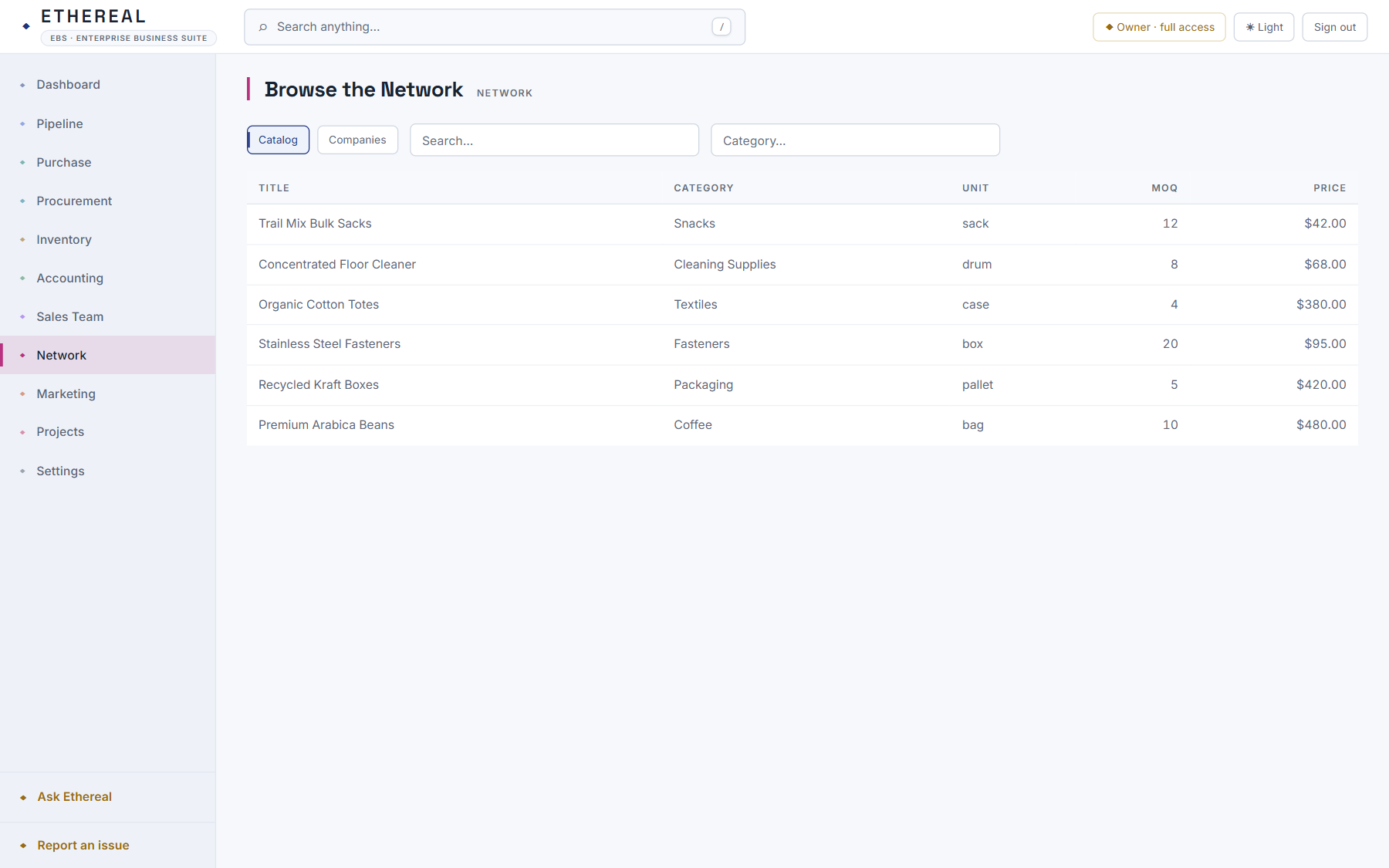
You land here after signing in. KPIs run across the top, this year’s revenue is charted by month, and recent documents list below. Every figure comes from posted entries in your books.
- Read the KPI tiles: revenue this month, open invoices, inventory value and orders in the pipeline.
- The rail on the left lists every area of the app. A yellow marker shows the one you are in.
- Press Ctrl K (⌘ K on a Mac) anywhere to open the command palette and jump to a screen or a record.
Order to cash
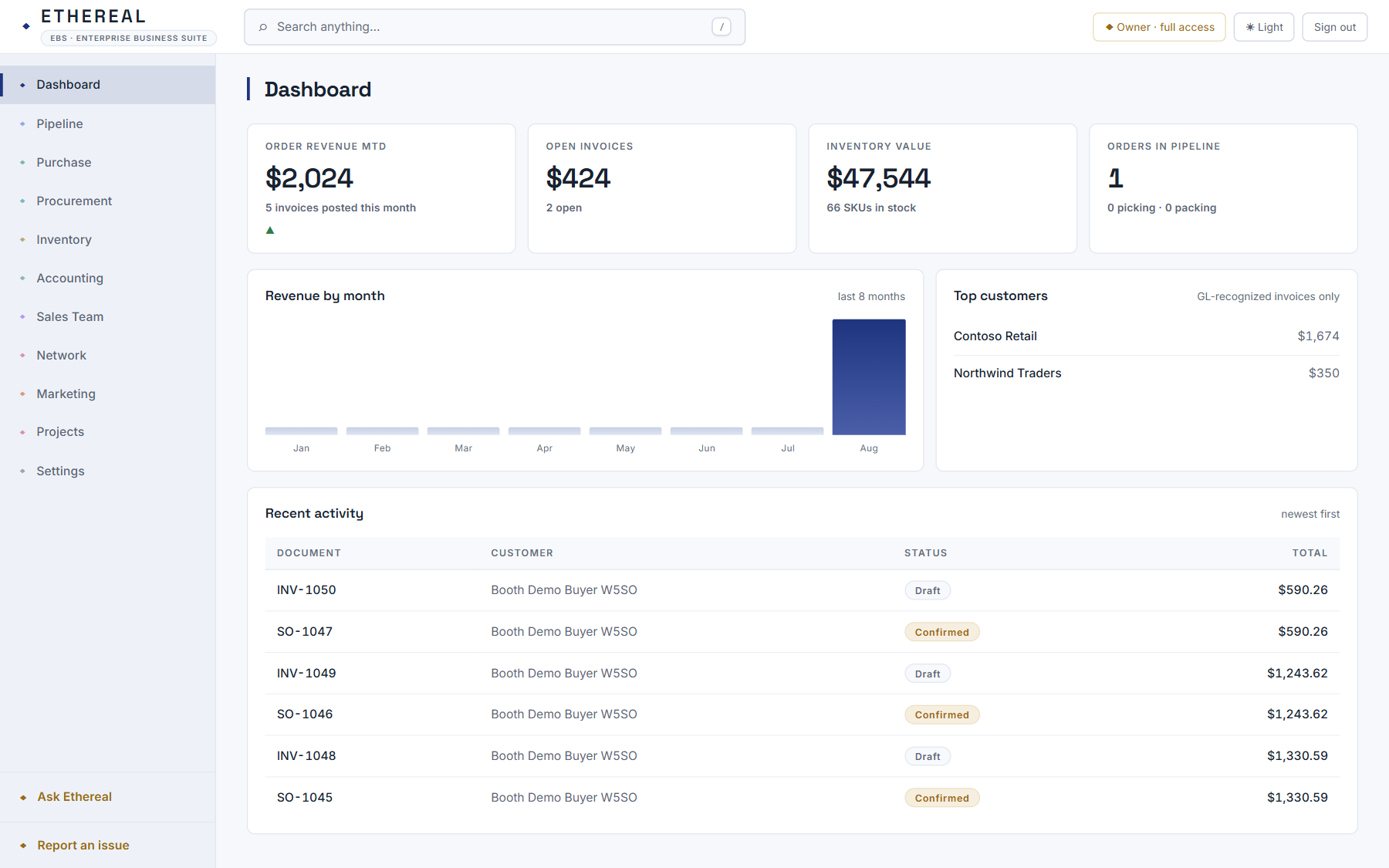
Quote a customer, turn the quote into a sales order, invoice it and record the payment. Each step posts to a double-entry ledger as you go, and each document links to the ones before it, so a payment traces back to its quote.
- In Pipeline, Quotations, create a quote, add lines and send it. Accepting it creates a sales order.
- Pack and invoice the order. The invoice reaches the books when you post it.
- On a posted invoice, choose Record receipt. The status turns to Paid and the cash lands in the ledger.
Inventory that follows the paperwork
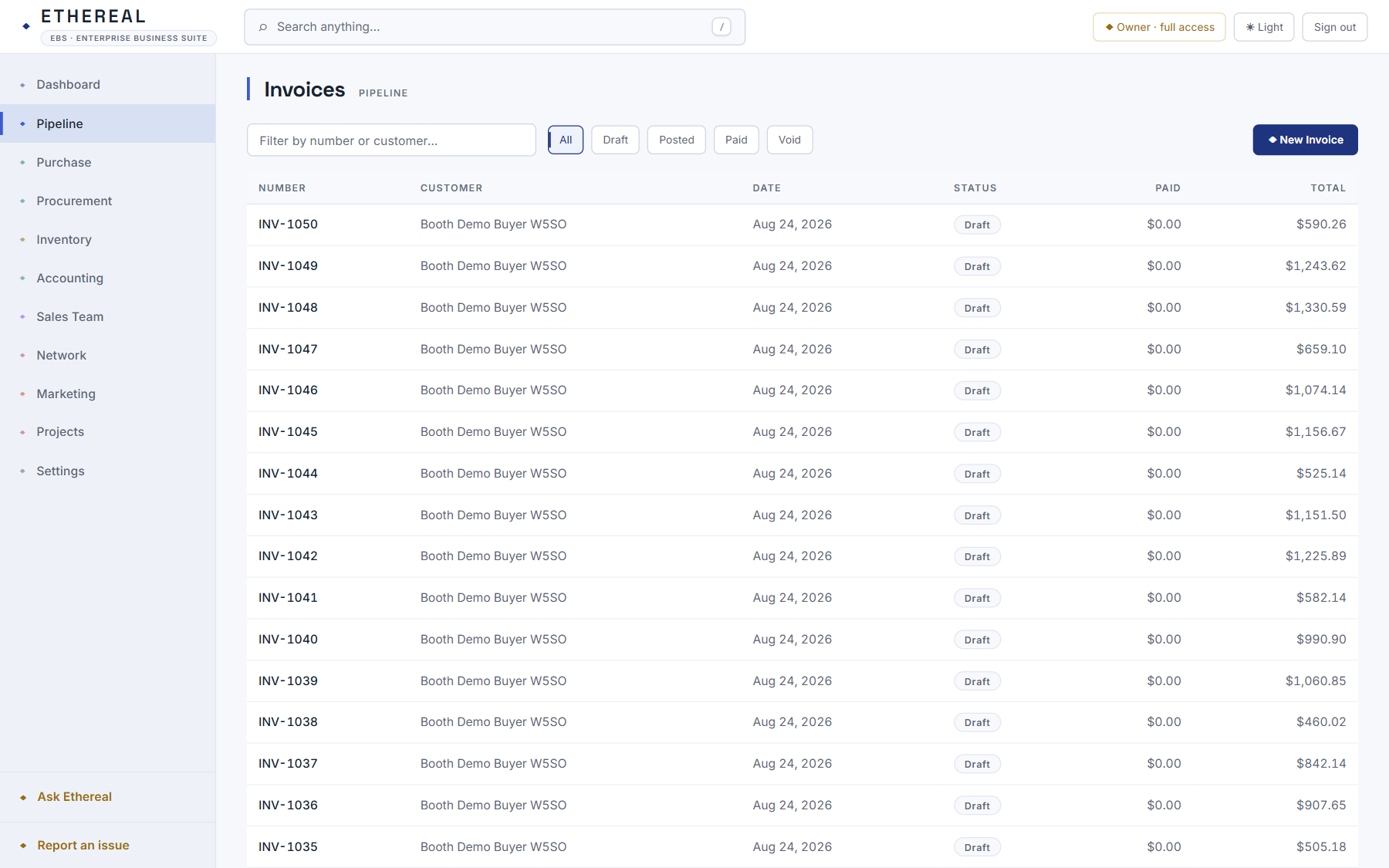
Products carry stock, cost and price. A shipment draws stock down and a received purchase order puts it back. Valuation and stocktakes keep the count honest.
- In Inventory, Products, add a product with a SKU, price, cost and quantity on hand.
- Stock moves as orders ship and purchase orders are received. Nobody retypes it.
- Run a stocktake to reconcile counted and system quantities, or import the whole catalog (step 7).
The wholesale network
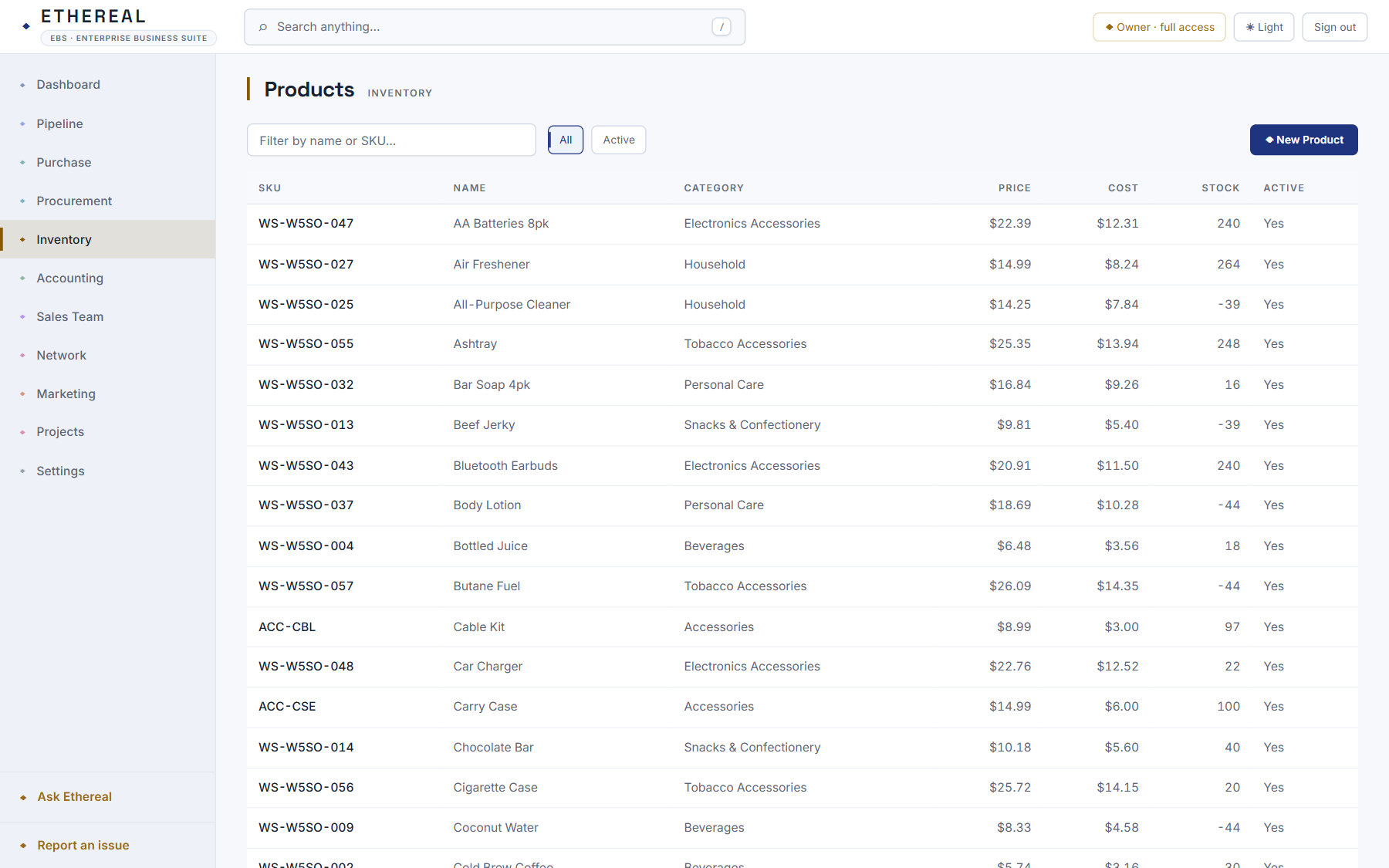
Publish what you sell or what you want to buy, and the matcher pairs your demand with other companies’ supply, then helps you price the deal. Only what you publish is shared. Your books stay in your workspace.
- Open Network, Browse to see live listings, and My Listings to publish yours with volume price tiers.
- Register interest in a listing. The matcher pairs it with supply, and a connection forms once both sides accept.
- An accepted match adds a lead to each side’s pipeline.
Ask Ethereal
The assistant answers questions about your business from your live figures. It can also propose an action, such as creating a customer, adjusting stock or drafting a quote, and nothing happens until you apply it.
- Open Ask Ethereal and ask in plain English: “What’s our net income?” or “How old are our receivables?”
- It pulls the posted figures first and answers from them.
- Ask it to do something and it proposes one step. You apply it, and you can undo it.
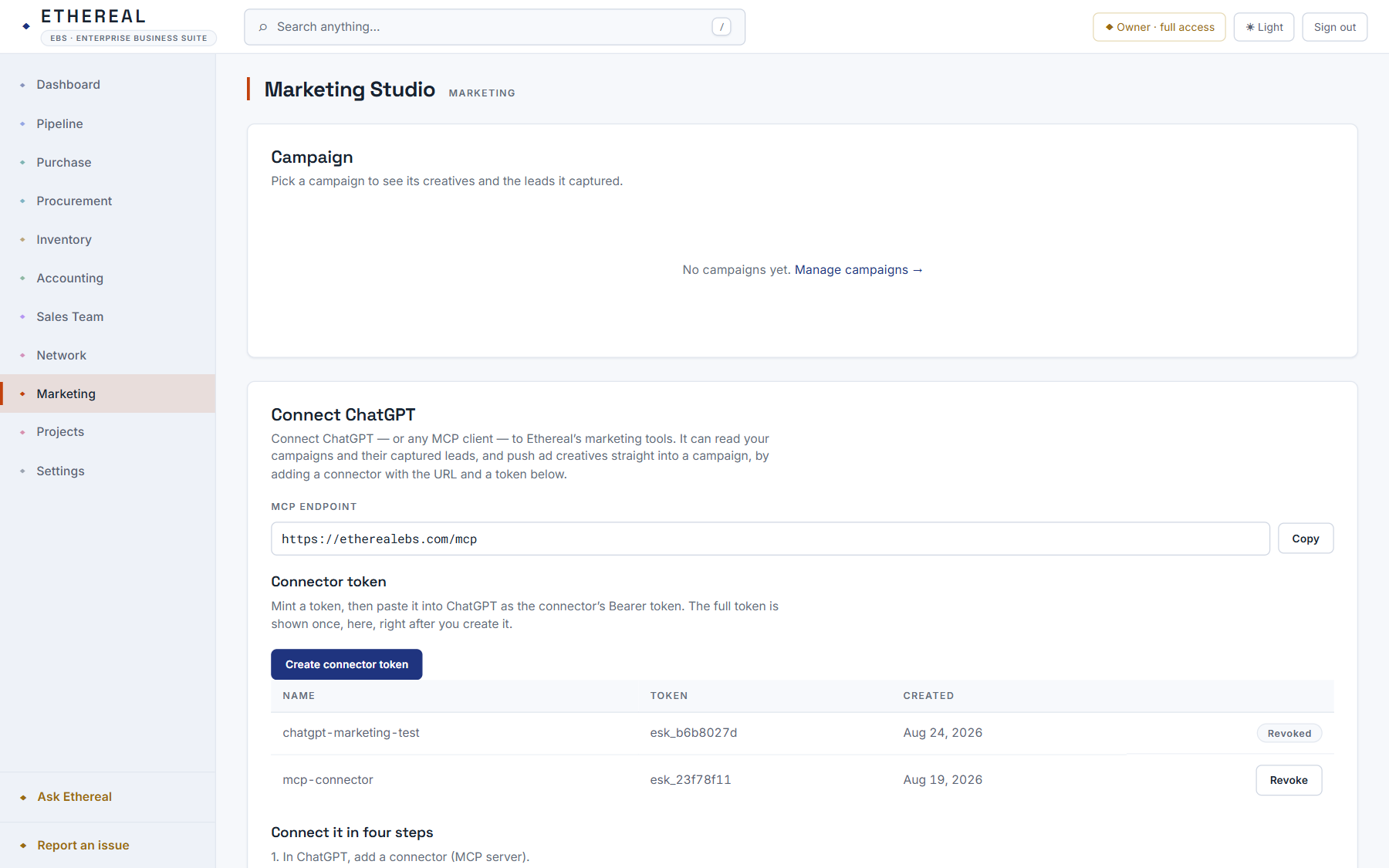
Marketing Studio and ChatGPT
Run campaigns, see the leads each one brought in and its cost per lead, and manage ad creatives. Connect ChatGPT with one token and it can read your campaigns and push finished ad images into one.
- In Marketing, Studio, pick a campaign to see its creatives and its leads.
- Choose Create connector token and copy it.
- In ChatGPT, add a connector pointing at etherealebs.com/mcp and paste the token. It only reaches your company.
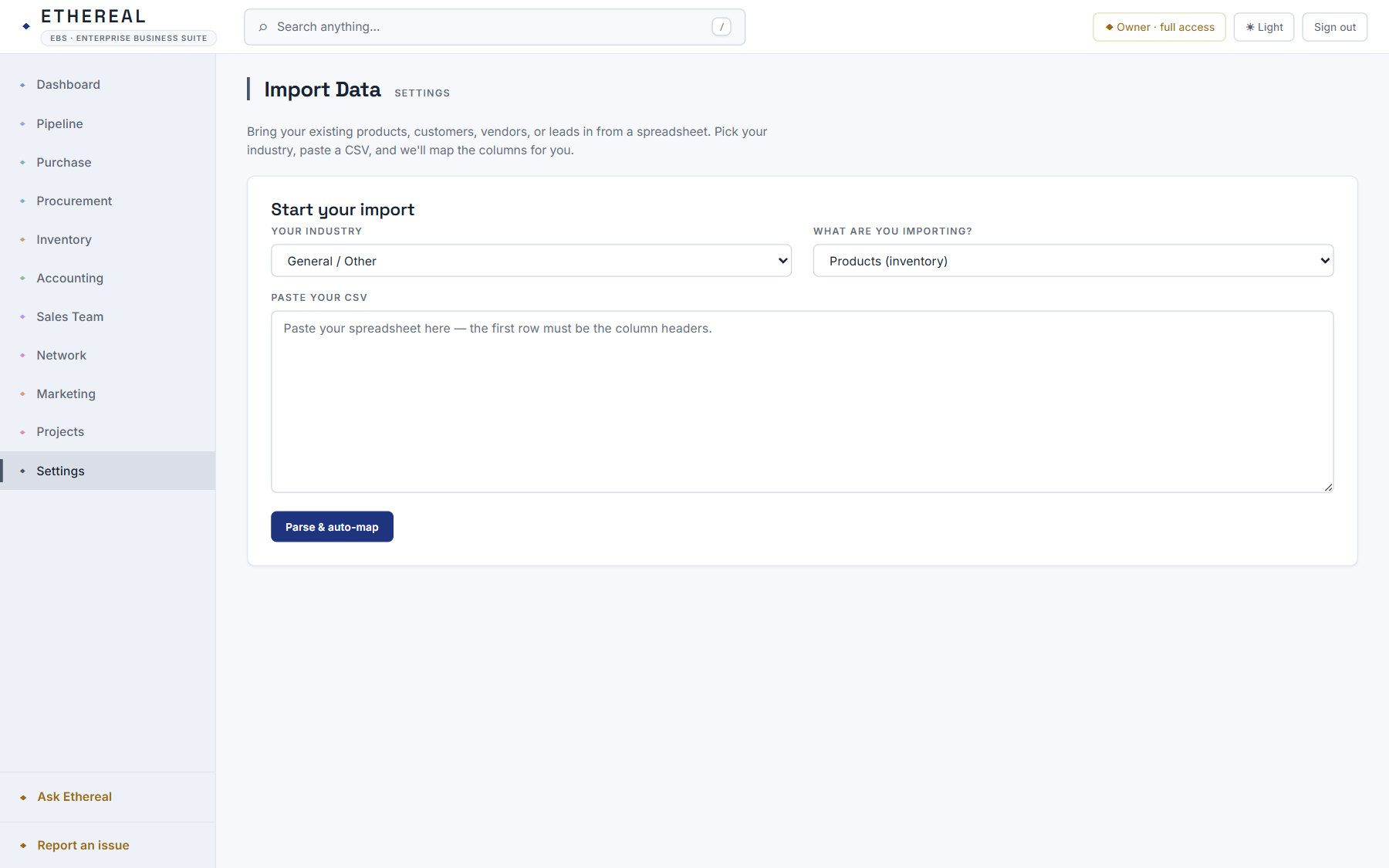
Bring your data in
If your products, customers or vendors live in a spreadsheet, pick your industry, paste the CSV and Ethereal maps the columns, converting prices to the right units.
- In Settings, Import Data, choose your industry and what you are importing.
- Paste the CSV and press Parse & auto-map. “Item Name”, “SKU #” and “Unit Price” land on the right fields.
- Adjust any mapping, preview the rows and press Import. Rows that fail are listed with the reason; the rest go in.
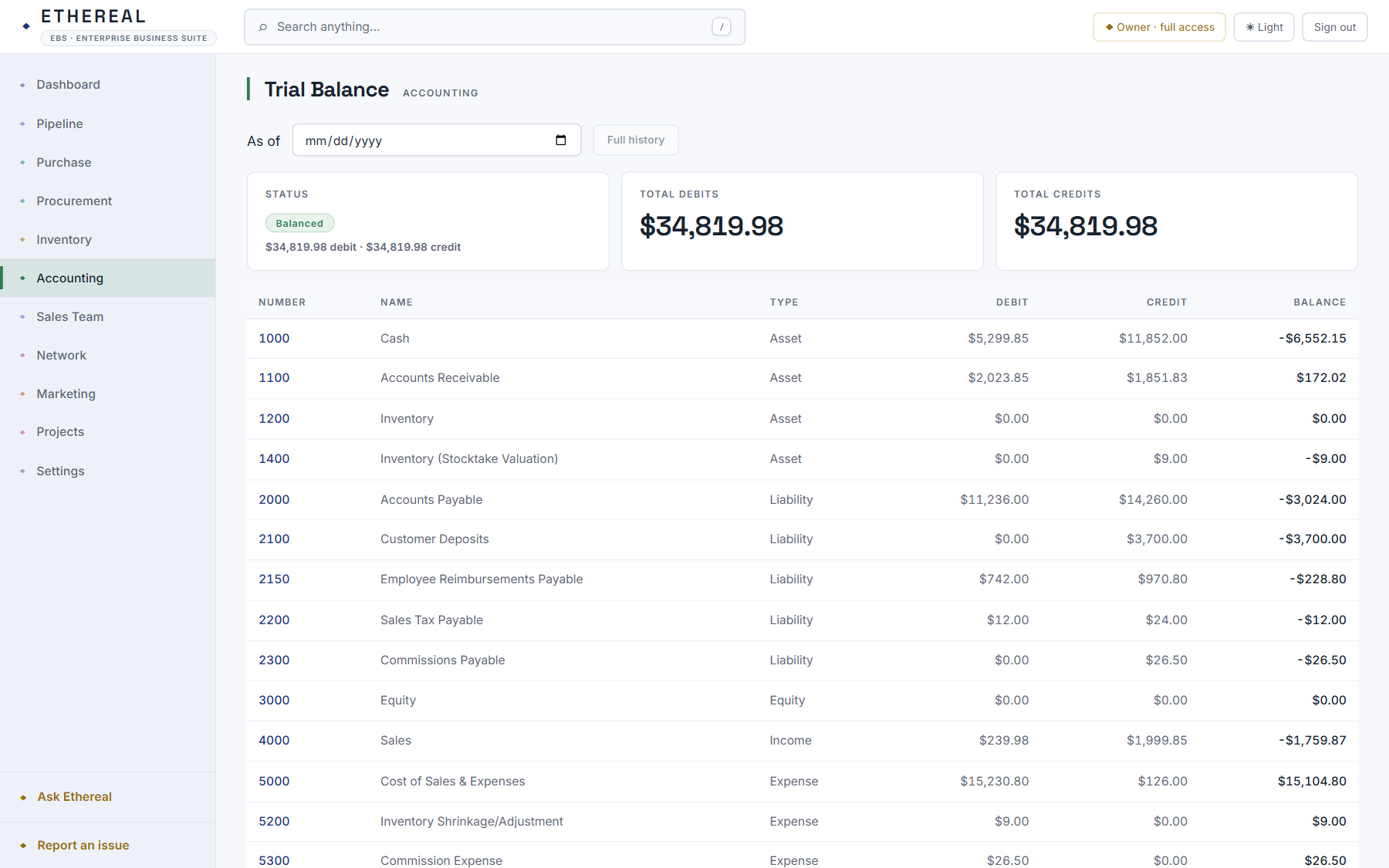
Books that balance
Under every screen is a double-entry general ledger. The trial balance, profit and loss, balance sheet, cash flow and aging reports read from the same entries your documents post.
- Accounting, Trial Balance shows debits equal to credits at any moment.
- Drill into the GL report, run the P&L and balance sheet, and manage tax codes and period close.
- Invoices, bills, payments and adjustments post here as you work. Manual journals are there when you want one.
Projects and services
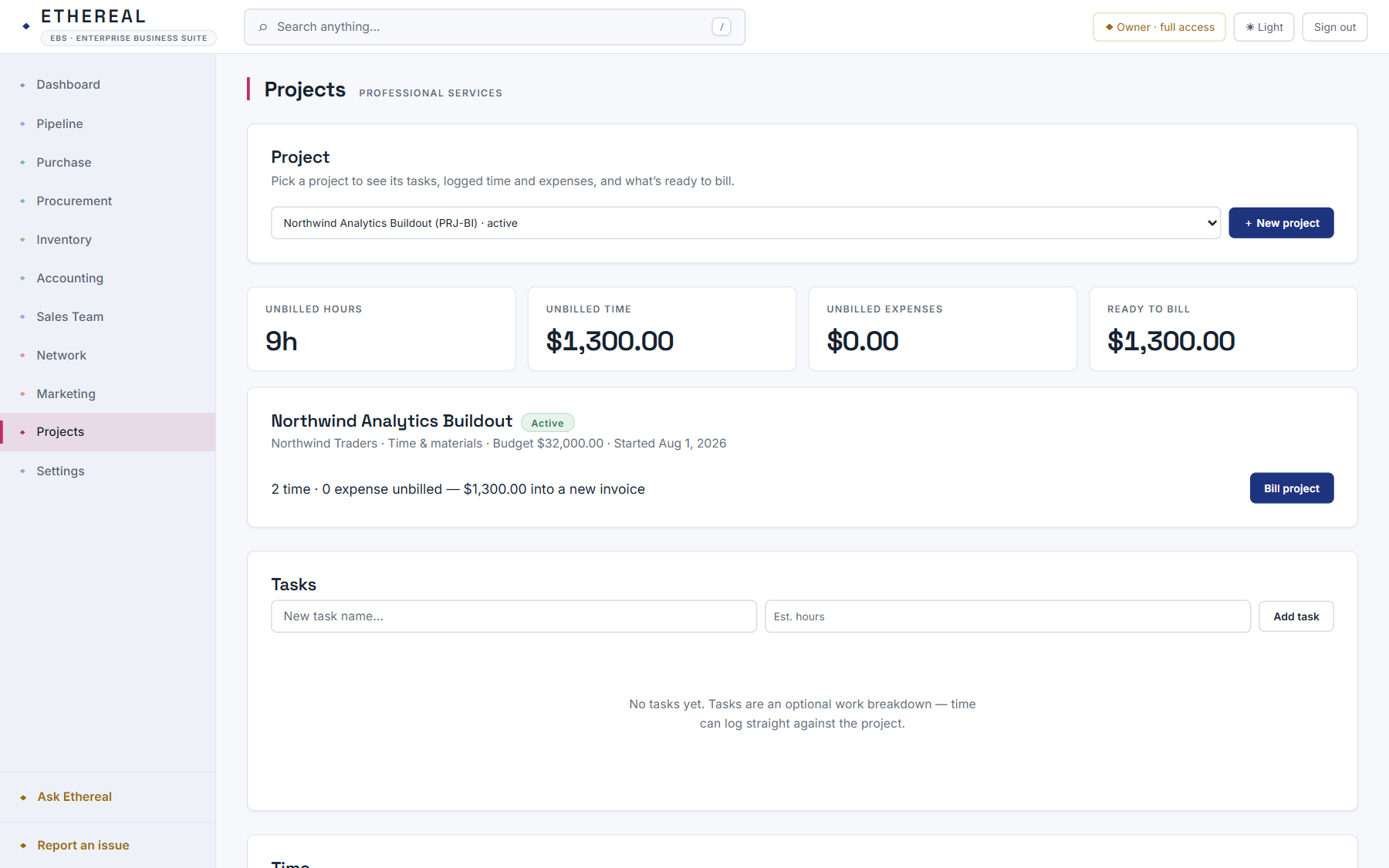
Track projects, log billable time and expenses against them, and bill the lot into one invoice.
- In Projects, create a project for a customer and add its tasks.
- Log time and expenses as billable or not. The tiles show what is ready to bill.
- Press Bill project. Unbilled time and expenses go into a draft invoice you can review and send.
Recurring billing
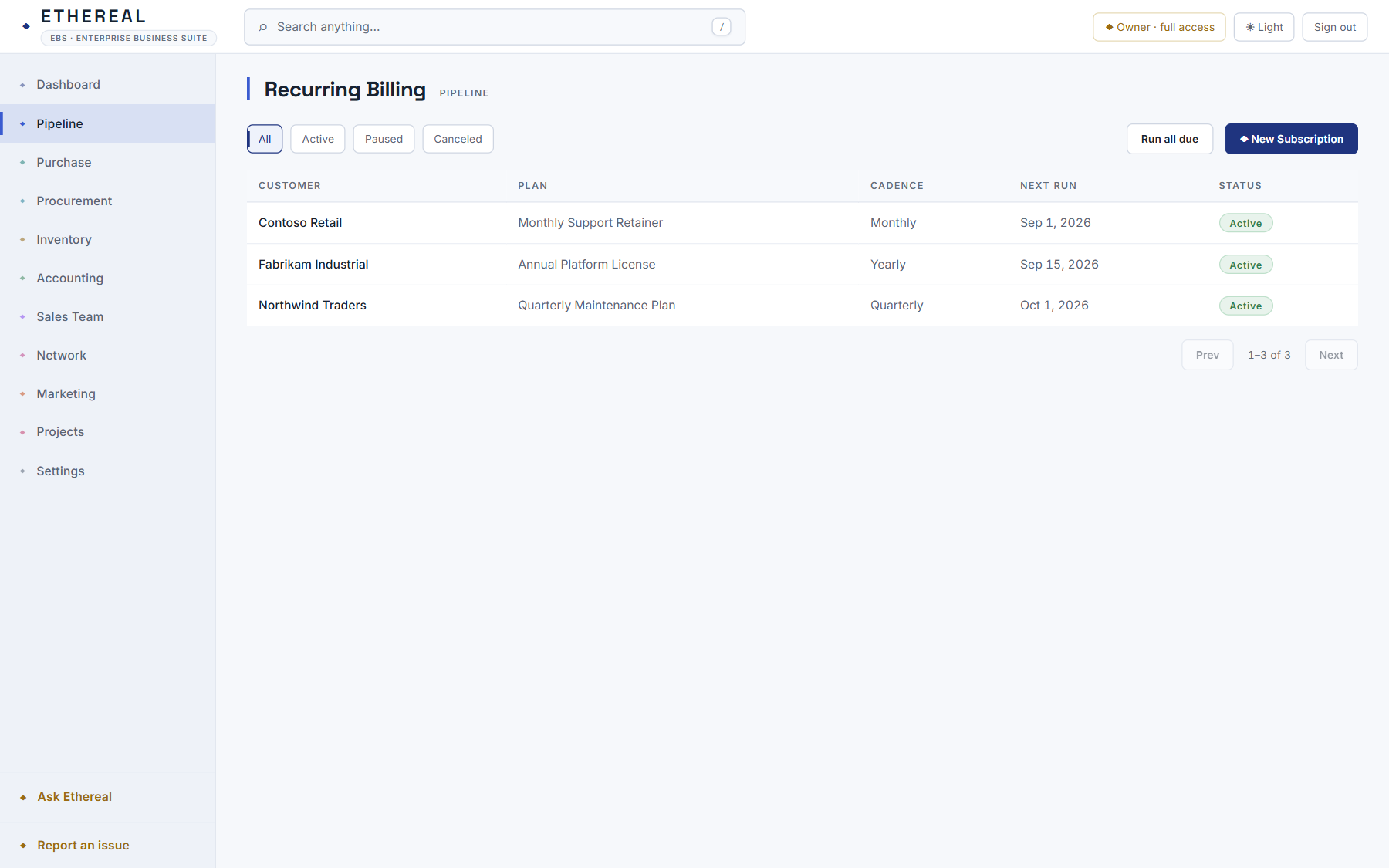
Put a customer on a subscription and Ethereal writes their invoices on schedule.
- In Pipeline, Subscriptions, create a subscription with an amount and a cadence: weekly, monthly, quarterly or yearly.
- Press Run all due to write every due invoice at once, or Run now on one subscription.
- Recurring Journals work the same way for scheduled ledger entries.
Requisition to payment
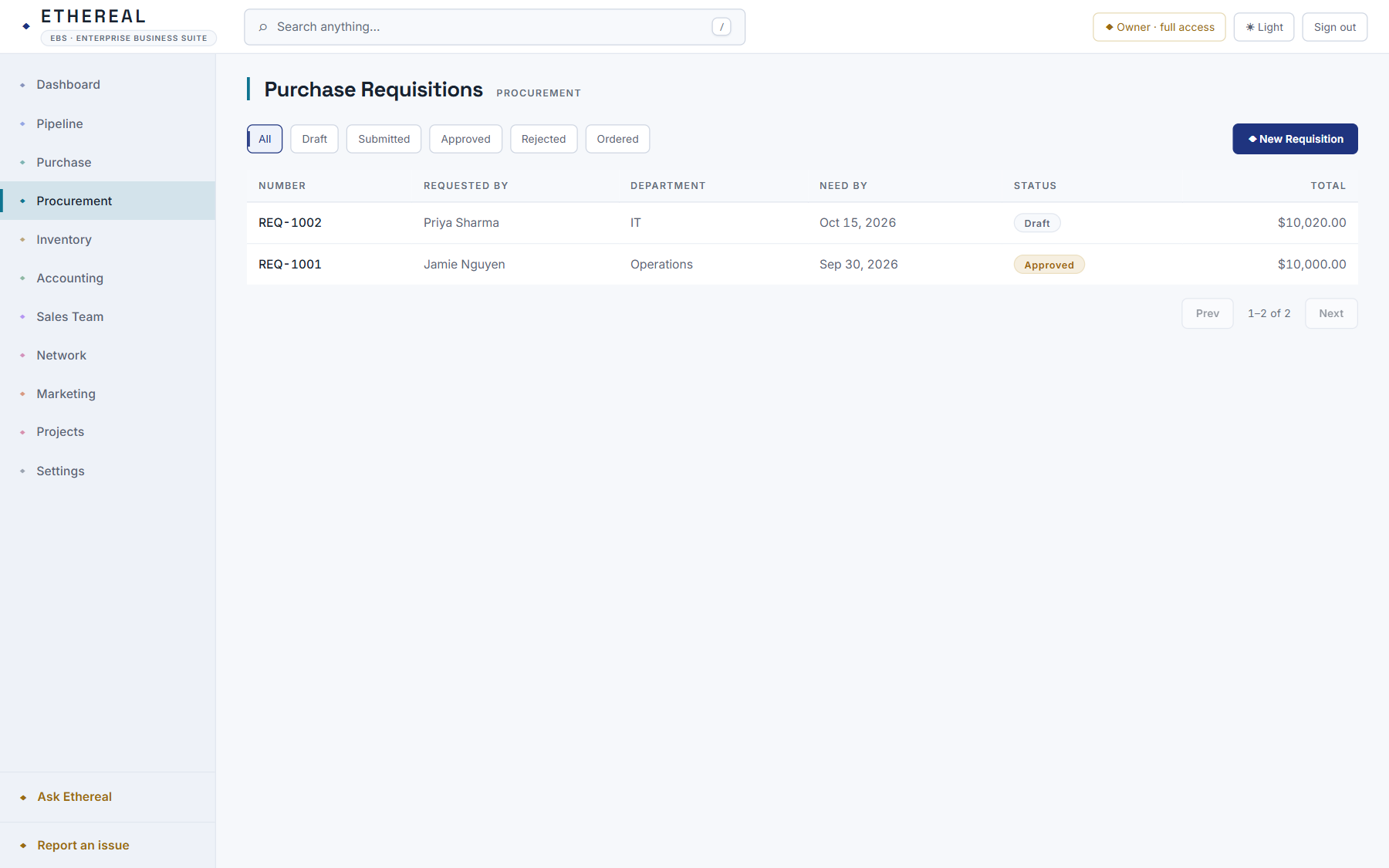
Raise a requisition, send it for approval, convert it to a purchase order, receive the goods and pay the bill.
- In Procurement, Requisitions, create a requisition with its lines and submit it for approval.
- Once approved, convert it to a purchase order. Receiving the order restocks and creates the bill.
- Record the payment against the bill. It posts to accounts payable and the ledger.
Credit control
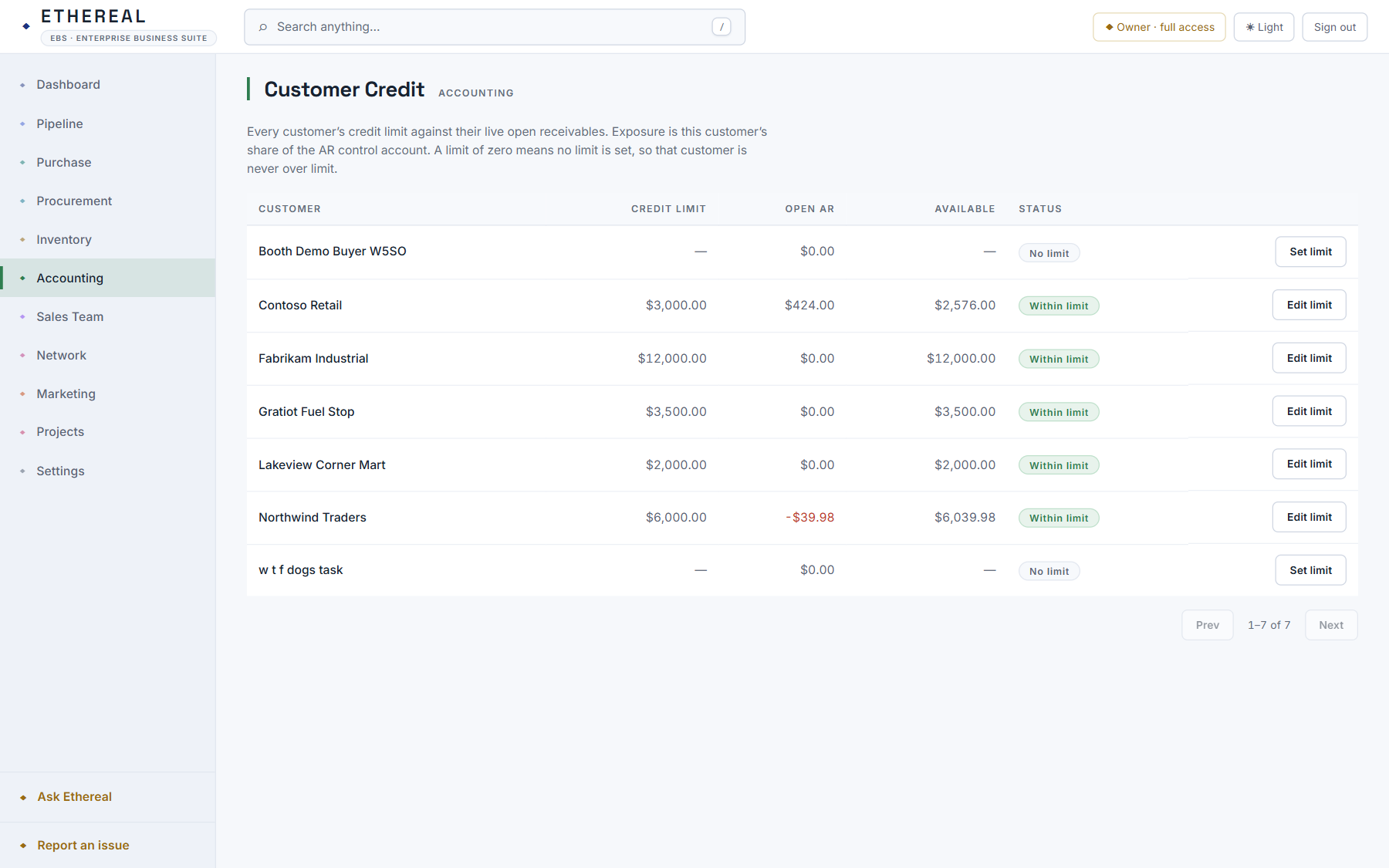
Each customer’s credit limit sits next to their open receivables, so you know who is over the line before you ship.
- Accounting, Customer Credit lists each customer’s limit, open receivables and available credit.
- Set or change a limit. An invoice that would go over it is flagged and can require an override.
Your team
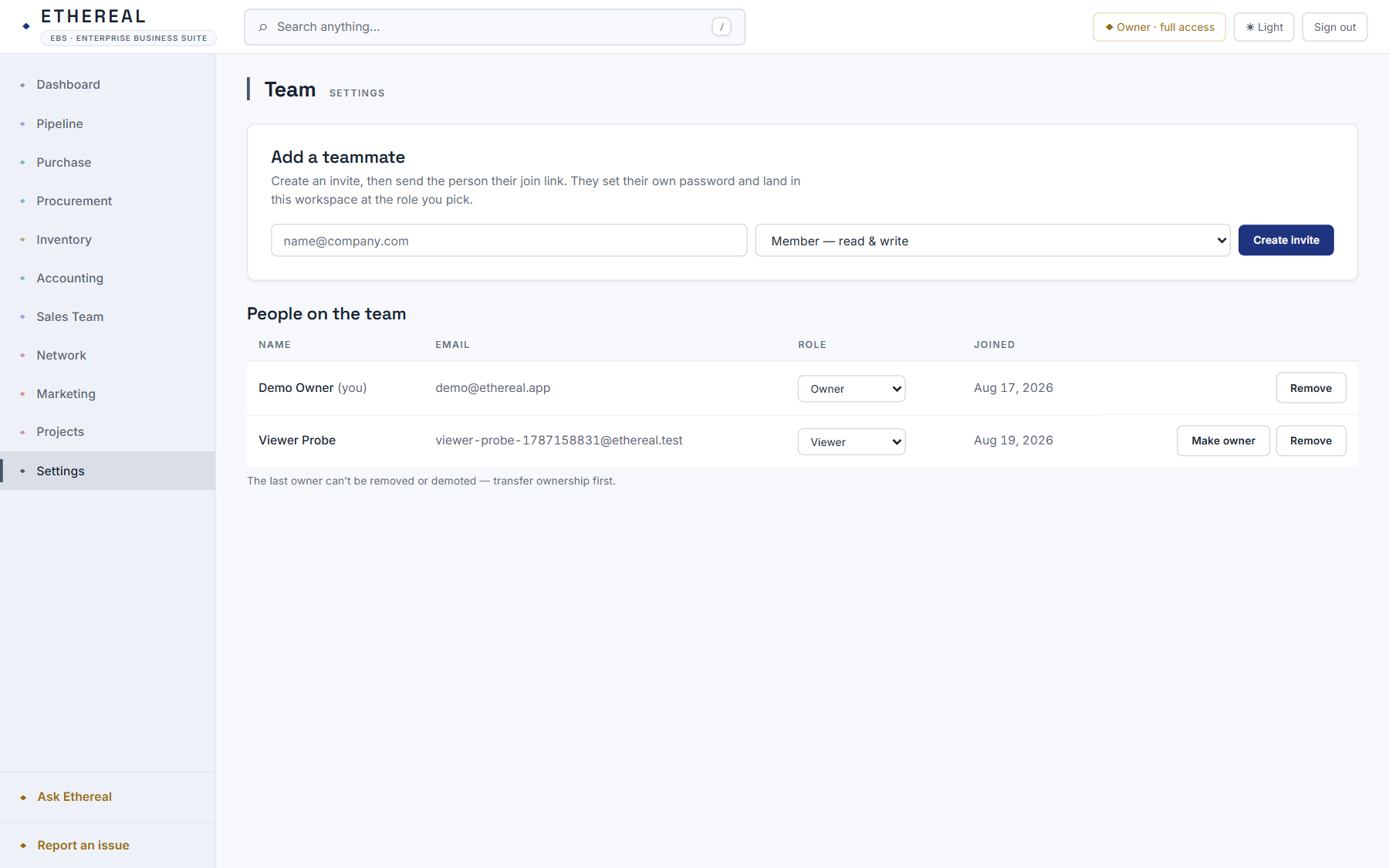
Invite teammates with a link and set what each one can do: owner, admin, member or viewer. Create API keys for programs that need access.
- In Settings, Team, add a teammate, copy the join link and send it. They set their own password.
- Assign a role. The app enforces what each role can see and change.
- Under API Keys, create a key you can revoke for integrations and the ChatGPT connector.
Run your next order on it
Request a workspace and we will set it up with you.